A Comprehensive Guide to the DTF Printing Process Step-by-Step
Step-by-Step DTF Printing Process Explained
Direct to Film (DTF) printing has emerged as a popular method for transferring vibrant designs onto various fabrics. In this comprehensive guide, we will take you through every step of the DTF printing process, from preparing your artwork to the final heat transfer.
Step 1: Gather Your Materials
Before you begin the DTF printing process, you need to gather the essential materials. Here’s a list of what you will need:
- DTF printer
- DTF transfer film
- DTF inks (specialized water-based inks)
- Heat press machine
- Adhesive powder
- Design software (like Adobe Illustrator or CorelDRAW)
- Protective sheets
Step 2: Create Your Design
Using your design software, create or upload your artwork. Make sure to set your canvas size to meet the dimensions of the fabric or garment you will be printing on. Designing in high resolution (300 DPI or higher) ensures the best print quality.
Step 3: Print the Design
Once your design is ready, it’s time to print. Load the DTF transfer film into your printer, ensuring that it is the correct side facing up. Use the DTF inks to print your design. Ensure the printer settings are optimized for printing on transfer film to achieve vibrant colors.
Step 4: Apply Adhesive Powder
Immediately after printing, while the ink is still wet, apply a layer of adhesive powder to the printed design. This step is crucial as it ensures that the ink adheres properly to the fabric during the heat transfer. Shake off the excess powder and make sure the design is evenly coated.
Step 5: Cure the Adhesive
Next, cure the adhesive by placing the printed film in a heat press or oven at the recommended temperature (usually around 160-180°C for 2-3 minutes). This process melts the adhesive, allowing it to bond with the ink, and prepares it for transfer onto fabric.
Step 6: Prepare Your Fabric
While the adhesive is curing, prepare the fabric. Ensure it is clean and wrinkle-free for the best results. If necessary, pre-press the fabric briefly to eliminate any moisture and wrinkles.
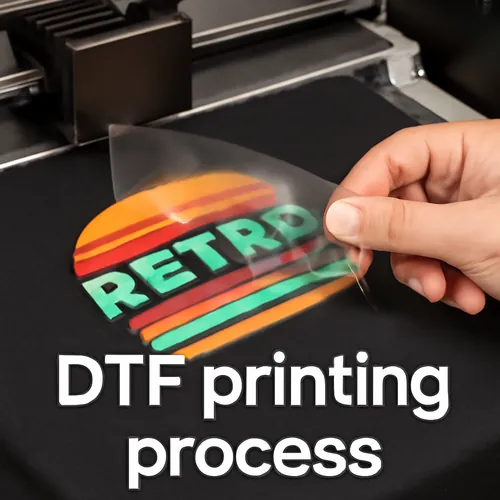
Step 7: Transfer the Design
Once the adhesive is cured, place the printed film onto the prepared fabric, printed side down. Use a heat press to apply heat and pressure according to the recommended settings for your specific fabric type. This typically involves pressing for about 15-20 seconds.
Step 8: Peel and Finish
After the transfer process, allow the printed film to cool slightly before peeling the backing away. Carefully pull the film away, making sure that the design has transferred completely. If any areas lift, simply press again with the heat press.
Step 9: Final Curing (if necessary)
For added durability, it is advisable to perform a final curing step. Place a protective sheet over the design and press again for a few seconds. This helps to further set the design and improve wash durability.
Conclusion
Following these steps will help you master the DTF printing process, allowing you to create high-quality, durable designs on fabrics. With practice, you will be able to expand your creativity and potentially start a business centered around custom garment printing.